


















The campaign that technically worked
I have made this mistake myself.
The landing page went live.
The Marketo form was embedded.
Leads absolutely came in.
Weeks later, I was reviewing campaign success. I knew the leads came from that specific landing page and that specific offer. I had seen the form fills. I had even spot-checked a few records in Marketo.
But when it came time to report, I could not locate them.
No program success.
No clean list.
No defensible answer.
If you have ever been in that moment, staring at Marketo knowing something worked but being unable to prove it, this story is for you.
Reviewing success and finding nothing
This failure usually does not show up on launch day. It shows up later, when someone asks a reasonable question.
“How did that campaign perform?”
You go to Marketo expecting a simple answer. You know leads came in through that landing page. You remember watching submissions tick up. But when you look for them in reporting, they are scattered, untraceable, or missing entirely.
Then it hits you.
You reused a global form.
You forgot to build the Marketo program.
You never linked the global form to program smart campaigns.
I have done this under pressure. The landing page needed to go live. The global form already existed. Using it felt efficient and safe.
What I forgot was the one thing Marketo will never assume for you. The campaign only exists if you build the Program. Marketo did exactly what I asked. I just never told it where to report the data.
Where program templates should have saved me
This mistake becomes even more painful when you realize it was preventable.
I should have been using program templates.
Program templates exist for a reason. They encode:
- Channels and success statuses
- Required smart campaigns
- Reporting logic that does not rely on memory
When you skip templates, you rely on yourself to remember every dependency. And under real-world conditions, that is where things fall apart.
I have seen teams say “we will add the program later” or “we just need the form live today.” That is exactly how reporting disappears. Global forms are not the problem.
Missing programs are.

Download
Marketo Hacks for Campaign Performance
If this kind of silent failure sounds familiar, it’s usually because the same patterns repeat across most Marketo instances: global forms that drift, programs created too late, reporting stitched together after the fact, and field mappings that quietly fall out of sync.
Marketo Hacks for Campaign Performance was built to address exactly these weak points.
Why global Marketo forms make this so easy to miss
Global forms feel safe. They already work. They already convert. They already sync.
The danger is that they remove friction in places where friction is actually helpful.
When you embed a global Marketo form on a landing page:
- Marketo captures the lead
- Activity logs look healthy
- Everything appears successful at a glance
But unless you explicitly:
- Create a Marketo program
- Build smart campaigns inside it
- Update program status on form fill
There is no campaign context. You are left later trying to reconstruct intent from breadcrumbs, which is never convincing and always stressful.
Why this failure feels personal even when it is not
When reporting is missing, the conversation rarely starts with systems.
It starts with:
- “Why can’t we see this?”
- “Was this set up correctly?”
- “Who owned this campaign?”
I have felt that heat. Not because the campaign failed, but because I could not prove it succeeded.
Marketing teams are expected to be both fast and precise. When tools fail silently, people internalize that failure. This is not about competence.
It is about invisible dependencies.
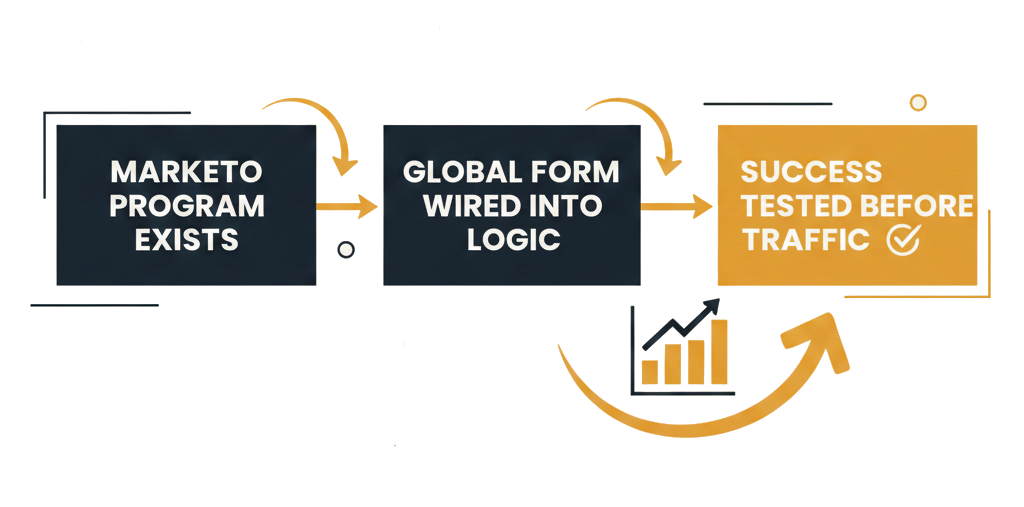
Triple checking before launch
After learning this the hard way, I now treat campaign setup as something that deserves friction.
Before anything goes live, I triple check three things.
1. The Marketo program exists
Not later. Not after launch.
A real program with:
- The correct channel
- Defined success statuses
- A clear purpose tied to the campaign
If there is no program, there is no campaign, no matter how many leads come in.
2. The global form is wired into program logic
Using a global form is fine only if:
- The listening smart campaigns live inside the program
- Program status updates on form fill
- Reporting does not depend on memory or manual lists
Marketo will not infer campaign intent for you.
3. Success is tested before traffic arrives
I now submit the form myself and confirm:
- Program membership is created
- Status changes correctly
- Reporting reflects what I expect to explain later
If I cannot explain it before launch, I will not be able to explain it after.
The good news: You can fix this retroactively
One of the most important things I learned is that this failure is not always permanent.
If you forgot to build the program or link the global form, you can:
- Create the program after the fact
- Add smart campaigns that pull in past form fills
- Update program status retrospectively
The reporting will not be perfect.
Dates may be slightly out of sync.
Attribution may not be pristine.
But it is far better than having no campaign story at all.
Doing this retroactively is an act of recovery, not failure.

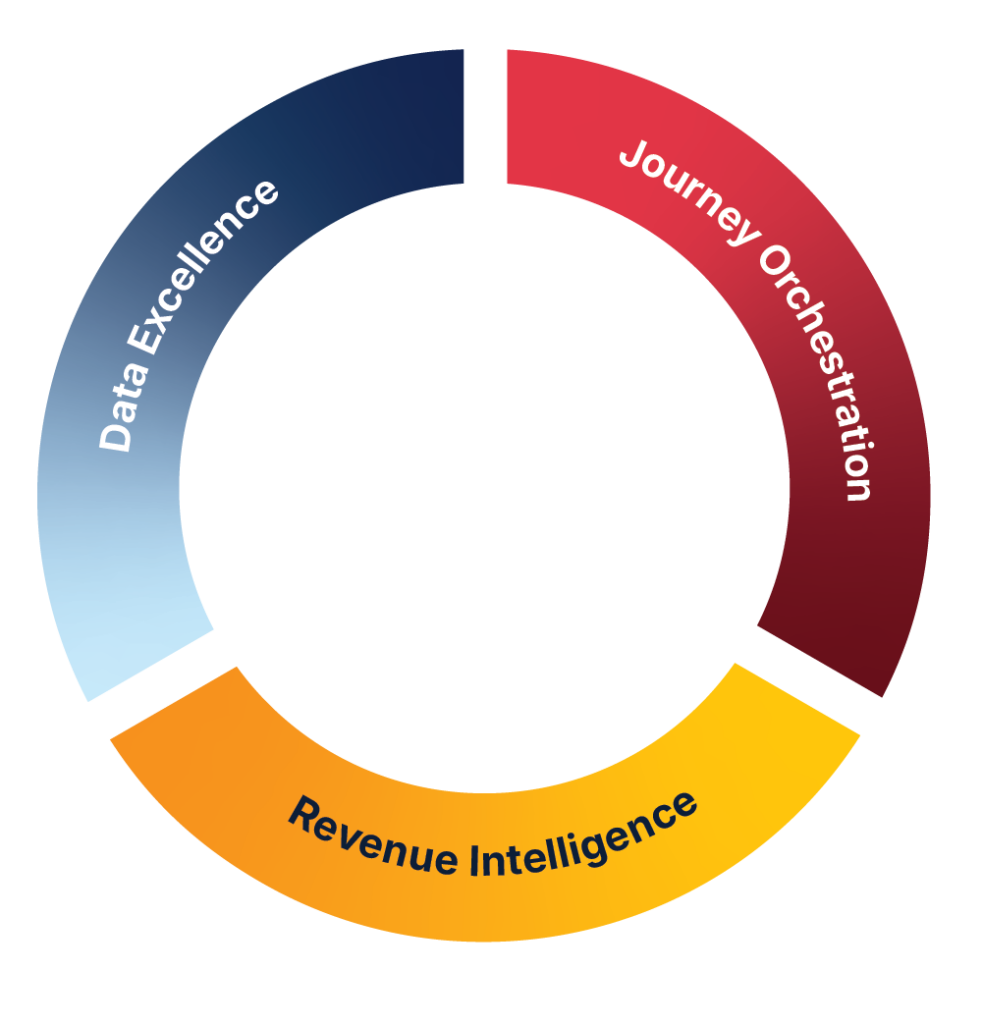
JTF Revenue Acceleration Loop
How the Revenue Acceleration Loop restores structure and clarity
The patterns in this story map directly to the Revenue Acceleration Loop. When programs aren’t structured, forms drift, or data definitions fall out of sync, the loop breaks at its earliest stages – campaigns can’t be measured, insights can’t be trusted, and optimization stalls.
Strengthening the foundations behind forms, programs, and data flow restores that loop: clean capture, reliable reporting, actionable insight, and continuous improvement. It’s the operational discipline that turns individual campaigns into repeatable revenue impact.
The secondary failure that often shows up next
Once reporting is fixed, another issue often surfaces.
You can now see the leads.
But something about the data feels wrong.
Sales says fields are empty.
CRM records look incomplete.
Or worse, leads never make it to CRM at all.
This is where forms fail in a quieter way.
Wrong field, wrong mapping, and the moment it breaks
I have seen this play out more times than I can count.
A form uses a field that used to work.
At some point, the CRM admin team replaces it with a new field.
You overhear it in a meeting or a Slack thread.
You register it mentally and move on.
What no one says out loud is that the system now needs to be updated.
The form still submits.
Marketo still captures the value.
But the CRM no longer recognizes it.
Salesforce cannot accept data mapped to a field that no longer exists.The form did not break.
The contract between systems did.
Why this happens without a Marketo data dictionary
This problem almost always traces back to the same gap.
There is no shared data dictionary for Marketo.
Without one:
- Marketers guess which field to use
- Legacy fields linger indefinitely
- CRM changes do not cascade to marketing systems
This is not a skill issue.
It is a governance issue.
And it creates silent failures that surface only when revenue teams start asking questions.
How teams actually prevent this long term
After seeing this pattern repeatedly, here is what has proven effective.
Build and maintain a living data dictionary
Not a static document buried in a folder.
A real reference that explains:
- What each field is for
- Whether it syncs to CRM
- Whether it is safe for forms
If a field should not be used, it should not be selectable.
Audit global forms regularly
Global forms drift as systems change.
I now review:
- Which fields are still valid
- Which fields were replaced by CRM
- Which fields should be retired
Every removed field is a future incident prevented.
Design forms for reporting and systems, not just conversion
High conversion without explainable reporting is not success.
Every form should answer:
- What campaign does this belong to?
- How will I prove it worked six weeks from now?
If those answers are unclear, the form is not finished.
Campaigns only exist if Marketo can see them
If you have ever reviewed campaign success knowing leads came in, but could not locate them, you are not alone.
If you have ever reused a global Marketo form and forgotten to build the program, that does not make you careless.
If a CRM change broke your form because no one updated Marketo, that is not on you as an individual.
These are systemic failures that marketing teams are expected to absorb quietly.
Why I share this story
I share this because most Marketo content only shows what perfect looks like.
Perfect builds.
Perfect reporting.
Perfect outcomes.
Real marketing work is messier.
People slip under pressure.
Systems change without warning.
Failures show up late and feel personal.
Talking about these mistakes openly is how teams learn without burning out.
What this means for marketers reading this
A campaign that cannot be reported might as well not exist.
Using a global Marketo form without a program will eventually cost you confidence, even if leads come in.
The fixes are simple once you know them:
- Always build the program
- Always wire success intentionally
- Always use the right fields with shared definitions
If this story felt uncomfortably familiar, that is because it happens everywhere. Want support applying this in your Adobe stack?
ThenBook a marketing automation consultation with JTF. We help teams turn silent failures into systems they can trust and explain with confidence.
Connect with James on LinkedIn.
Frequently Asked Questions
Global forms don’t automatically connect submissions to a specific program. Without a program and listening smart campaigns in place, Marketo captures the lead but has no campaign context, which removes it from reporting.
Yes. Creating the program later and using smart campaigns to pull in historical form fills can restore most reporting. Dates may not be perfect, but the campaign becomes measurable again.
If a CRM field is replaced or deprecated, Marketo may still capture the value, but the CRM will reject it. This results in incomplete records or sync failures, even though the form appears to work.
Consistent program templates, governed global forms, and a maintained data dictionary reduce drift, ensure correct field usage, and keep reporting logic intact as systems evolve.
ing from spreadsheets to Workfront?
The loop reinforces the operational steps that keep campaigns measurable: structured capture, reliable data flow, accurate reporting, and continuous optimisation. When these foundations are in place, issues like missing programs or broken field mappings are far less likely to occur.